
Buying guides
Using a Trackball with a 3D Mousepad: Check the Base and Raised Area
A trackball needs a stable place for its base, rather than room for mouse sweeps. Check whether a raised mousepad leaves the whole device supported.
A trackball needs a stable place for its base, rather than room for mouse sweeps. Check whether a raised mousepad leaves the whole device supported.
Start with how your pointing device works
A desktop trackball uses movement of its ball to control the pointer while the device stays in place. For example, Logitech’s ERGO M575S introduction describes thumb-controlled navigation without moving the hand across the desk. You are therefore checking a different problem from the travel space needed by a conventional mouse. A 3D pad may be an artwork or surface preference, but a trackball does not need a mouse-tracking surface underneath it to read movement across the desk.
Measure the complete base in its normal configuration
Check the device’s width and front-to-back depth, including any fitted plate or manufacturer-supplied wedge you normally use. Notice where its feet or contact points sit, not just the outline visible from above. Leave room to reach the ball, scroll wheel and side buttons. If the device has an adjustable angle, assess the configuration you actually use. A small-looking body with a wider base needs that wider space. Keep the manufacturer’s setup instructions as the reference for the device itself.
Distinguish the pad’s footprint from a flat support area
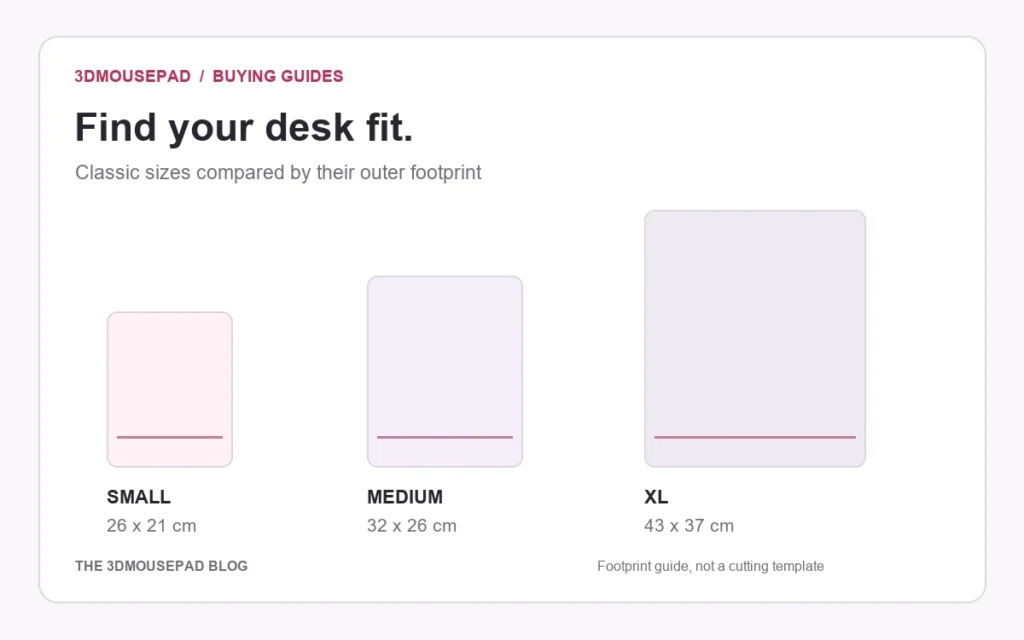
The size guide lists the outer dimensions and maximum raised height of each pad. Those measurements do not mean that a rectangular device of the same width and depth can sit flat anywhere on it. Compare the trackball’s base with the curved outline and the area before the wrist support rises. Use the product’s front and side views as well as its main image. The product-image guide explains what these views reveal and why a digital preview is not a physical compatibility test.
Check that the base stays level and supported
If you already have the pad, place the trackball in the intended position without forcing either item. Check whether the normal contact points rest on a stable surface, whether the device rocks when you press a button, and whether any part bridges the edge or raised support. If the base cannot sit as intended, use a firm, flat desk area instead. Do not compress the wrist support, stack improvised packing under the device or alter a fitted base merely to make the combination appear to fit.
Leave access for the way you use and maintain it
Check cable clearance for a wired model and room to reach switches or charging ports where relevant. The pad should not push the device into the keyboard or make controls difficult to reach. Allow a practical way to move the trackball aside for its manufacturer-directed cleaning; the pad’s care instructions apply to the pad, not to the ball mechanism or electronics. Keep the two sets of instructions separate instead of using a mousepad cleaning method on the pointing device.
Ask a specific fit question before buying
If the available views do not establish the clearance you need, ask the team with the product link, selected size, trackball model and base measurements. A comparison can identify an obvious mismatch, but it does not certify every foot position, button movement or chosen tilt angle. There is no universal trackball compatibility claim here. If the raised shape interferes with the device’s own base or your normal controls, keeping the trackball on the desk and choosing artwork elsewhere is a reasonable outcome.
Prepared by the 3DMousepad store team using our product specifications and published store guides. Product illustrations are not scale drawings. Check the product page for the current options, price and availability. Ask us about your setup or suggest a correction.
Keep exploring
SVG or Illustrator Artwork for a Custom Mousepad: Export a PNG Copy
Turn editable vector artwork into an accepted PNG upload while keeping the master file, checking the artboard and reviewing detail at the chosen pad size.
Mousepad Parcel Returned to Sender: What to Check Next
Check why the carrier is returning your mousepad, contact the store with the tracking record and confirm the next step before placing another order.
Why Your Custom Mousepad Preview May Look Softer Than the Original
Compare the original artwork, placement and resolution check before judging a soft studio preview. The on-screen view is separate from the uploaded source.