
Care & desk setup
How to Clean and Store a 3D Mousepad
A gentle, practical routine for the printed surface, raised support and underside, with clear advice on what to avoid.
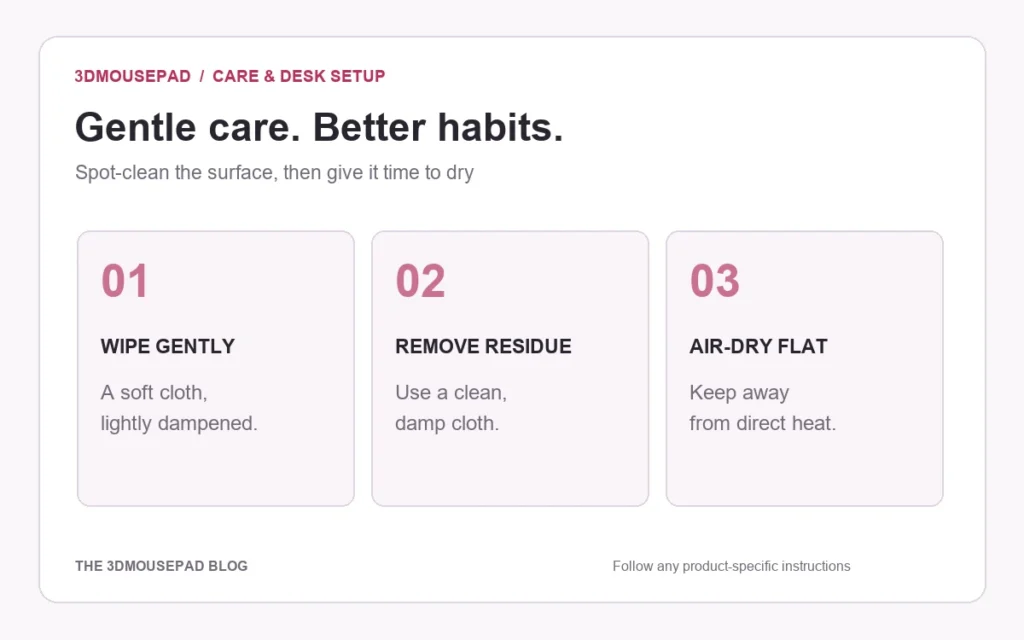
Use gentle spot cleaning rather than soaking. Start with a soft cloth lightly dampened with cool water. If needed, test a little mild soap in an inconspicuous spot, wipe off the residue and let the pad air-dry flat. Product-specific instructions supplied with your item take priority.
Start with loose dust and a clean desk
Move the mouse away and place the pad on a clean, flat surface. Remove loose dust with a clean, soft cloth before using moisture. Check the desk and the underside of the pad as well: dust or debris underneath can affect how steadily it sits.
Use a different clean section of the cloth for the printed surface. Do not use a stiff brush or scrape dried marks with a sharp object. The aim is to remove a mark without repeatedly rubbing the same printed area.
Spot-clean a small mark
- Lightly dampen a soft cloth with cool water. It should not be dripping.
- Wipe the affected area gently. Keep liquid away from seams and do not press it into the raised support.
- If water alone is not enough, test a small amount of mild soap on an inconspicuous area first.
- Use a clean, lightly dampened cloth to remove soap residue.
- Stop if the print, fabric or seam changes appearance. Contact us with photos rather than trying a stronger cleaner.
More detergent is not a shortcut to a better result. A residue can remain on the surface if it is not removed. Avoid prolonged scrubbing, particularly around the transitions into the sculpted support.
Let it dry fully without heat
Lay the pad flat in a ventilated place away from heaters and prolonged direct sunlight. Let the surface and underside dry fully before putting the mouse back. Do not use a hair dryer, radiator, iron or tumble dryer to speed up the process.
We do not give a fixed drying time: the amount of moisture, room conditions and the affected area all matter. If it still feels damp, leave it to dry rather than trapping moisture underneath on the desk.
What to avoid
- Machine washing, dry cleaning or tumble drying unless the instructions for your specific item explicitly allow it.
- Bleach, solvents, harsh cleaners and abrasive brushes.
- Soaking, wringing or sharply folding the pad.
- Placing heavy objects on the raised support.
- Extended exposure to direct sunlight or hot surfaces.
These precautions apply to both ready-made and custom designs. Do not assume that a printed surface can be cleaned like a plain hard desk mat, or that advice for a flat fabric pad automatically applies to a sculpted one.
Store the shape, not just the print
Store the pad flat in a cool, dry place with enough space around the outline. Avoid stacking books, equipment or other heavy items on the raised area. A folded corner or compressed support is not a useful way to save storage space.
For a desk you use every day, a quick check of the surface and underside is more practical than allowing dust and marks to build up. Keep food, drinks and sharp objects clear of the pad where possible. If you move the pad between locations, give its raised shape room instead of forcing it into a tight fold.
When to contact the store
If a seam opens, the fabric is damaged, or the support no longer looks as expected, stop using the item and contact 3DMousepad with the order number and clear photos. Include what happened and any cleaning products already used so that our team can assess the concern.
The mousepad care guide is the store’s reference for ongoing care. For product concerns and the return process, read Returns & refunds. If you are choosing a new size for your desk, our Small, Medium and XL comparison explains which measurements to check.
Prepared by the 3DMousepad store team using our product specifications and published store guides. Product illustrations are not scale drawings. Check the product page for the current options, price and availability. Ask us about your setup or suggest a correction.
Keep exploring
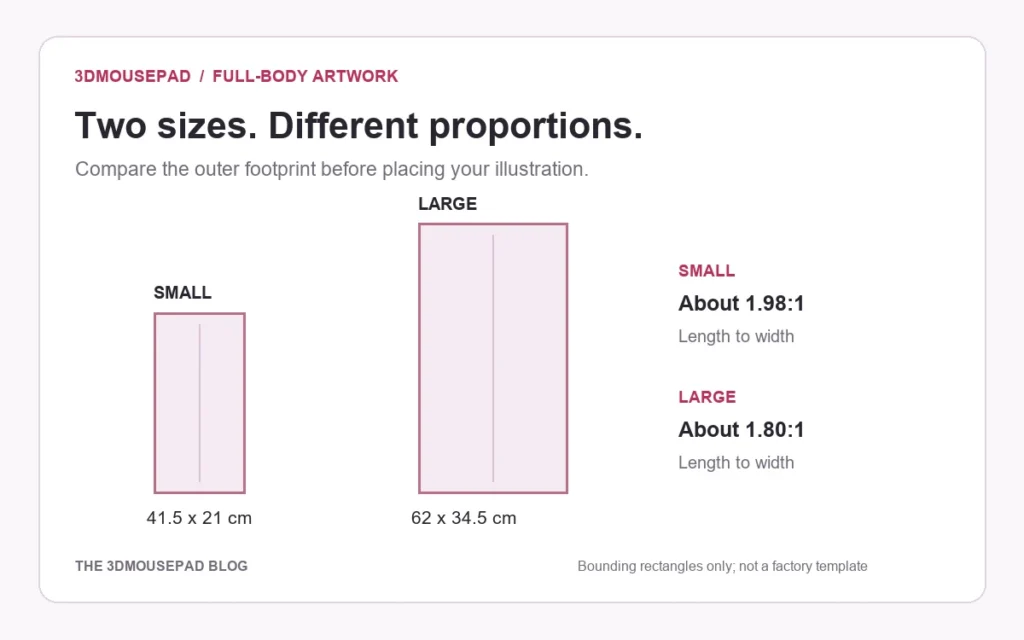
Full-Body Custom Mousepads: Plan a Tall Artwork Layout
A full-length illustration needs more than a larger crop. Compare the two full-body proportions and plan the pose, desk footprint and proof together.

Planning a Custom Mousepad Gift: Budget, Artwork and Delivery
Plan a personal desk gift around the recipient, the complete order cost and the time needed to approve the design—not just the date of the celebration.
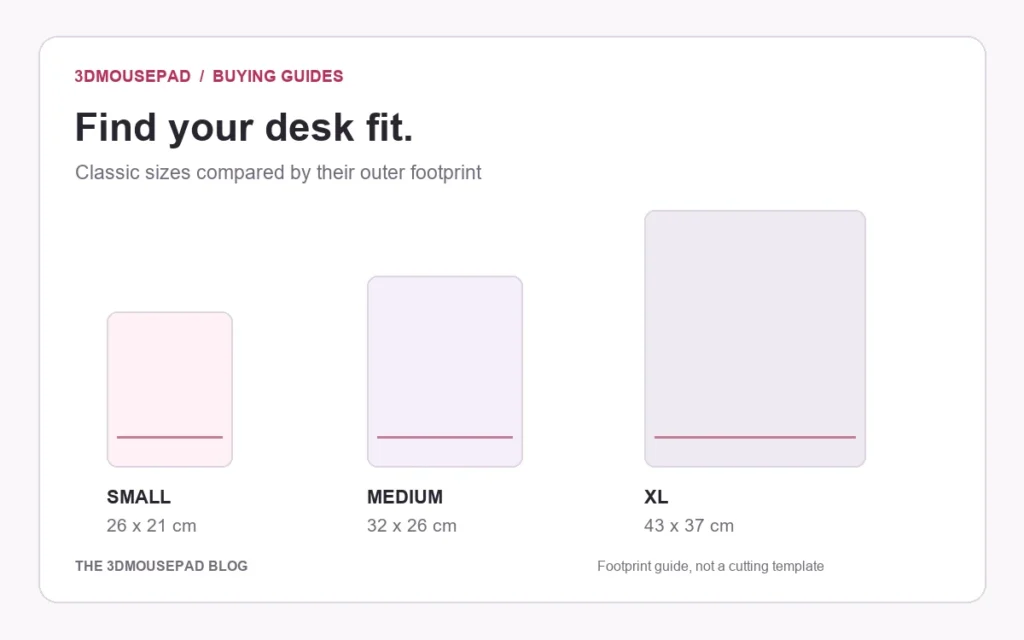
Small, Medium or XL? Choose a 3D Mousepad That Fits Your Desk
Compare the footprint, raised height and price of each classic size, then check the space you actually use beside your keyboard.