
Buying guides
Small, Medium or XL? Choose a 3D Mousepad That Fits Your Desk
Compare the footprint, raised height and price of each classic size, then check the space you actually use beside your keyboard.
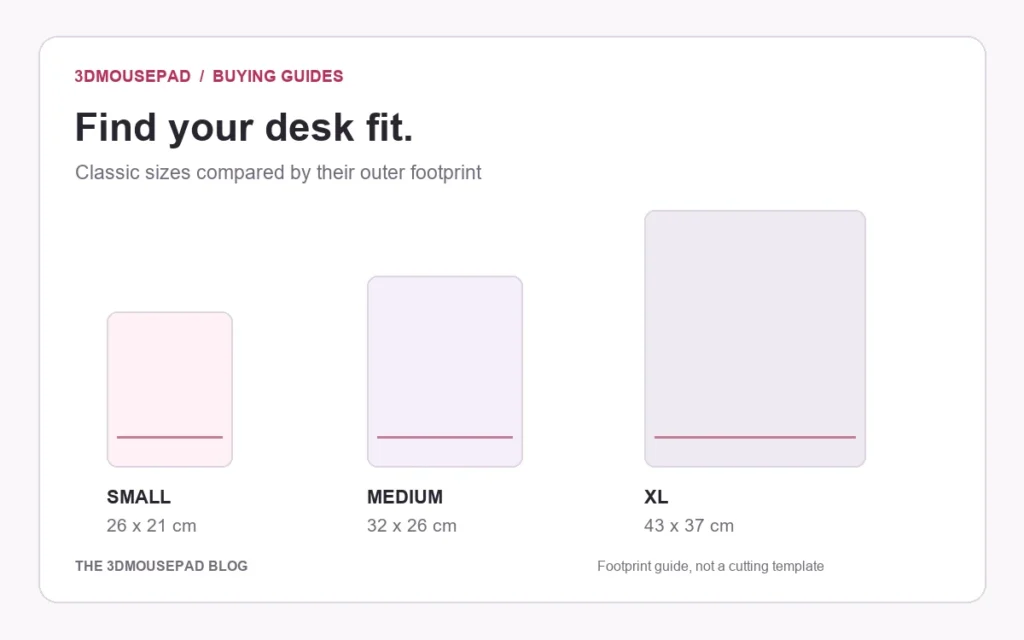
The quick answer: choose by footprint and raised height, not by the apparent size of a product image. Small is 26 × 21 × 2.8 cm, Medium is 32 × 26 × 3 cm, and XL is 43 × 37 × 6 cm. The third measurement is the maximum height of the raised support.
Start with the space your mouse actually uses
Move your keyboard, speakers and other desk accessories into their normal positions. Measure the clear space beside the keyboard in two directions: front to back and side to side. Include room for the mouse cable if you use one. An empty desk can make a large pad look easy to accommodate; your everyday arrangement is the more useful reference.
Mark the outer rectangle of your preferred size on paper and lay it on the desk. This is a footprint check, not a cutting template: the mousepad has a shaped outline, and the raised support occupies part of that rectangle. Move your mouse through your usual motions without bumping the keyboard or reaching around other objects.
Compare the current classic sizes
The table below reads the current classic custom-product options from our store. Ready-made classic designs use Small, Medium and XL; the extra Small Chest style is available in the custom studio and on selected designs. Check the individual listing before choosing a support shape.
| Size / style | Length × width × height | Weight | Price (USD) |
|---|---|---|---|
| Small · Standard | 26 × 21 × 2.8 cm | 275 g | $32.99 |
| Small · Chest | 26 × 21 × 2.8 cm | 275 g | $32.99 |
| Medium · Large | 32 × 26 × 3 cm | 530 g | $49.99 |
| XL · Life-size | 43 × 37 × 6 cm | 1,980 g | $109.99 |
Price and weight are separate from footprint. A larger pad is also heavier, and shipping is calculated separately. See the delivery guide before comparing your total order cost.
When Small makes sense
Small has the smallest footprint in the classic range. It is the first size to measure if your mouse sits close to a full-size keyboard, if a monitor stand reduces usable depth, or if several accessories already share your desk. It does not guarantee that a cramped desk will work: leave enough room to move the mouse without repeatedly meeting the raised area or the edge.
What changes when you move to Medium
Medium increases the outer length from 26 to 32 cm and the width from 21 to 26 cm. Its maximum raised height is 3 cm, compared with 2.8 cm on Small. That is a different overall footprint, not just a larger picture. Compare the outline with your usual mouse movements and the position of your keyboard.
Do not treat the outer dimensions as a rectangular tracking area. The curved outline and sculpted support reduce the flat space available to the mouse, and the exact usable area depends on the shape.
Check XL height as well as width
XL measures 43 × 37 cm across its outer footprint and reaches a maximum raised height of 6 cm. Measure both dimensions on the desk before ordering. Also consider how the higher support relates to the way your hand approaches the mouse; a larger or taller support is not automatically more comfortable.
Product images show the design rather than a guaranteed fit for your posture. If you are uncertain about the support position, ask our team with the product link and the space you have available. We do not claim that a particular size prevents or treats wrist problems.
Full-body sizes are a separate range
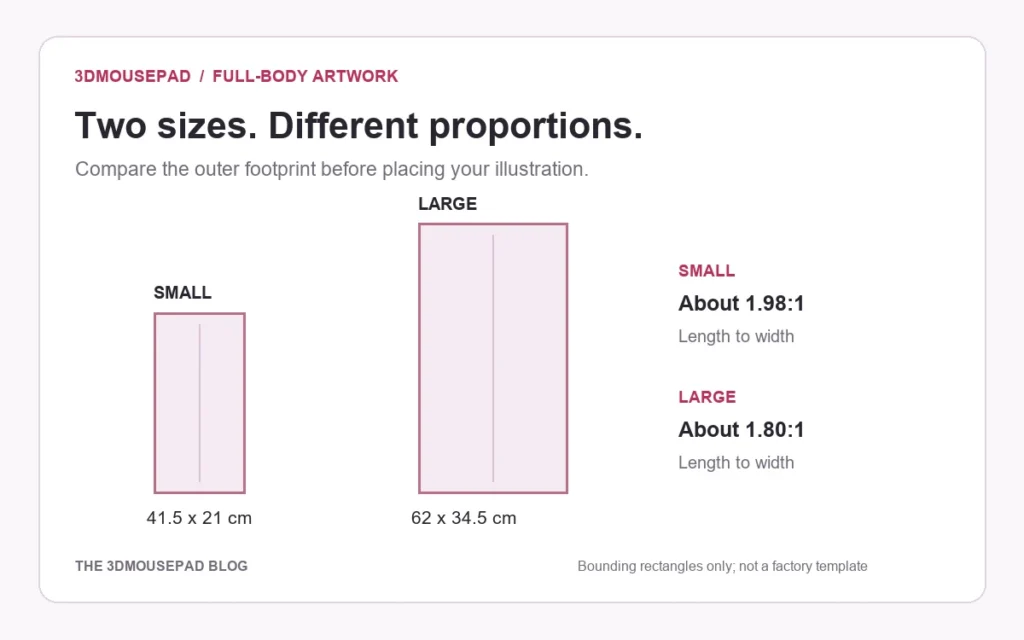
A full-body custom pad uses a longer outline. Its Small size is 41.5 × 21 × 3 cm; Large is 62 × 34.5 × 3.5 cm. These labels do not match the classic Small, Medium or XL dimensions. Compare the full-body product specifications if you want a tall composition.
Your final check before ordering
- Confirm the size and style on the product page, not just in the product title.
- Check length, width and maximum raised height together.
- Leave room for normal mouse movement and the accessories that stay on your desk.
- For custom work, choose the final size before approving the crop.
Ready to choose a design? Browse the mousepad collection, or compare every family in the size and price guide.
Prepared by the 3DMousepad store team using our product specifications and published store guides. Product illustrations are not scale drawings. Check the product page for the current options, price and availability. Ask us about your setup or suggest a correction.
Keep exploring
Full-Body Custom Mousepads: Plan a Tall Artwork Layout
A full-length illustration needs more than a larger crop. Compare the two full-body proportions and plan the pose, desk footprint and proof together.
Planning a Custom Mousepad Gift: Budget, Artwork and Delivery
Plan a personal desk gift around the recipient, the complete order cost and the time needed to approve the design—not just the date of the celebration.
How to Clean and Store a 3D Mousepad
A gentle, practical routine for the printed surface, raised support and underside, with clear advice on what to avoid.