Custom artwork
Pixel Art on a Custom Mousepad: Plan the Grid Before Uploading
Prepare a deliberate pixel-art layout, compare its scale and review the raised area before ordering. A higher pixel count alone does not validate printing.
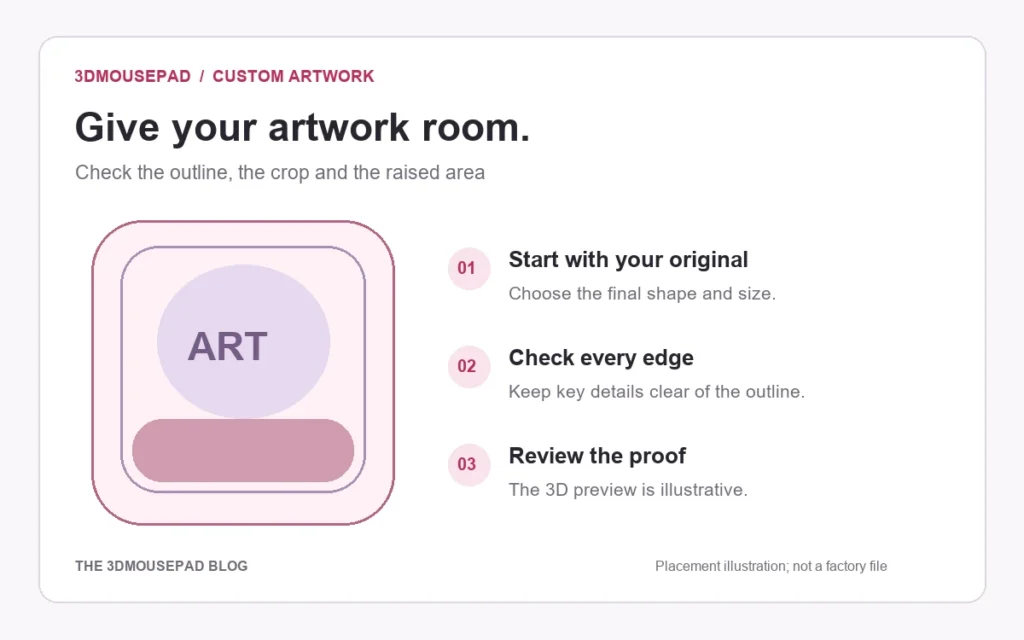
Prepare a deliberate pixel-art layout, compare its scale and review the raised area before ordering. A higher pixel count alone does not validate printing.
Start with the intended grid, not a small screenshot
Use your original pixel-art file or an export supplied with permission to reproduce it. Keep an untouched copy before making a mousepad composition. Check whether the blocky edges are intentional: a tiny screenshot of a smooth illustration is a different problem from deliberately drawn pixel art. Record the original canvas dimensions and decide whether the whole scene, a single sprite or a repeated arrangement should appear on the pad. Do not use the enlarged browser preview as your source file.
Make one deliberate resizing choice
Adobe’s resampling guide identifies Nearest Neighbor as an option for preserving hard edges in pixel art. Use an equivalent setting in an editor you have, and inspect the result rather than applying photographic smoothing by default. An integer enlargement such as 4× turns a 128-pixel-wide source into 512 pixels, with each original pixel represented by a 4-by-4 block. It changes the representation, not the amount of drawn detail. Keep the source so you can revise that decision later.
Judge the size of the blocks in the composition
A sprite that looks good as a small icon may become visually overwhelming when it fills the pad. Compare a larger character with a smaller character surrounded by a designed background. Check the expression, outline and lettering at the scale you intend to use. The pad outline has curved edges, so keep important features inside it instead of treating every corner of the rectangular file as printable space. Use the size guide to choose the final pad family and size before judging placement.
Export a working copy and check the upload
The studio accepts genuine JPG, PNG or WebP files up to 20 MB. PNG is a practical working export for keeping the prepared pixel pattern without JPEG compression; inspect whichever accepted format you use. In the custom studio, check the crop after Fill pad or Fit image, moving and zooming. An enlarged file can produce a higher calculated resolution without adding any original drawing detail. Do not treat a passed resolution check as proof that the deliberate pixel style will reproduce exactly. The artwork guide explains the current checks.
Review the flat layout and the curved support separately
Use the flat layout to inspect the complete composition and the front and side previews to review the illustrative raised area. A square grid viewed across a curved support will not look like the same grid on a flat screen. Look especially at eyes, a small mouth, thin outlines or lettering near that area. The digital preview does not certify a pixel-perfect print or a supplier-approved template. If exact block boundaries are essential, ask about feasibility before ordering rather than relying on the appearance of one zoomed screen view.
Tell the proof reviewer what is intentional
Include a short note such as “the stepped outline and square blocks are intentional; please check this expression and lettering in the proof.” Identify the final artwork revision and selected size. Ask the store team about any required physical sample or production check if the design depends on exact grid reproduction; do not assume a sample service or a special print setting is included. Review the production proof before approval. Saving a layout or adding it to a cart does not itself start production.
Prepared by the 3DMousepad store team using our product specifications and published store guides. Product illustrations are not scale drawings. Check the product page for the current options, price and availability. Ask us about your setup or suggest a correction.
Keep exploring
Mousepad Tracking Says Delivered, but You Cannot Find the Parcel?
Check the delivery scan, safe locations and building reception, then contact the store with the order and tracking details if your mousepad is missing.
Reordering a Custom Mousepad: What to Keep from Your First Order
Plan a custom mousepad reorder using the original artwork, approved proof and exact size. Confirm file availability and current options before buying again.
Holiday Mousepad Orders: Why USPS Send-by Dates Are Not Store Cutoffs
Separate carrier send-by dates from store preparation and China dispatch when planning a holiday mousepad order. Check a fixed deadline before buying.