
Care & desk setup
Genshin Impact Desk Setup Ideas by Element
Use a Genshin Impact element as the palette, choose one hero piece and keep the rest of the desk practical, restrained and easy to reset.
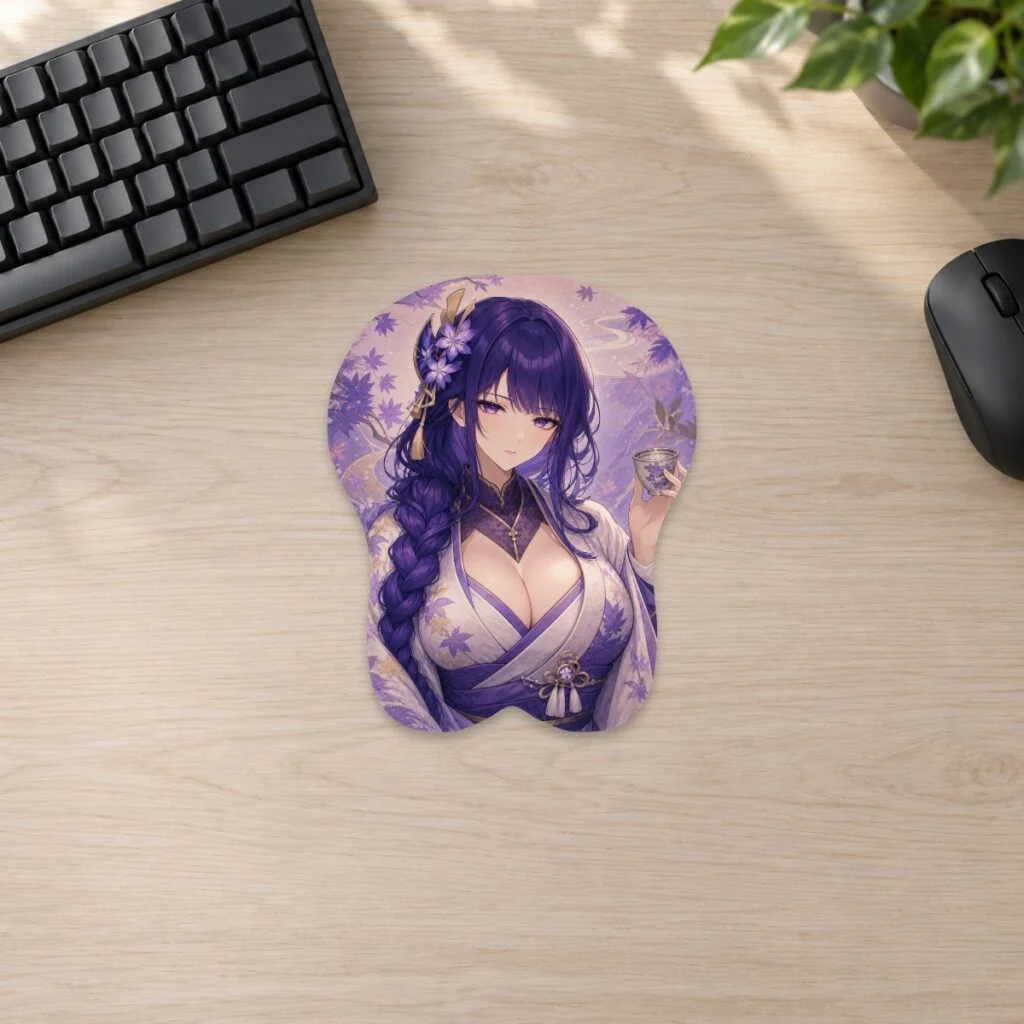
A Genshin Impact desk theme works best when an element supplies the palette and mood, while one character or product remains the focal point. Use two main colours, one neutral surface and a small repeated symbol. This guide focuses on Cryo, Anemo, Geo, Electro and Hydro, but the same method can be adapted to other elements without filling every part of the desk.
Series and character products discussed here are fan-inspired and are not affiliated with or endorsed by the respective rights holders.
Build the setup in four layers
First, choose the element. Second, choose a character or artwork as the hero. Third, select practical accessories in neutral colours. Fourth, add one lighting colour and a few small accents. Following that order keeps the desk usable and prevents every object from competing for attention.
Measure before buying the hero piece. A mousepad, keyboard and display stand must fit around the monitor base, speakers and the front edge of the desk. The size guide lists current mousepad dimensions, raised heights and weights, so you can plan the whole footprint rather than judging from a close photograph.
Keep the mouse movement zone clear. Place figures and acrylic stands on a rear shelf or to the side, not directly behind the mouse. Store spare cables and controllers out of sight, then bring out only the items that support the chosen element.
Cryo: cool contrast and quiet light
Cryo themes suit pale blue, silver, white and a small amount of deep navy. Use white or light grey for the keyboard and desk surface, then let blue appear in the mousepad art and a soft light behind the monitor. A transparent or frosted accessory can repeat the icy mood without adding another strong colour.
Avoid making every object bright blue. The neutral areas are what make the cool accents feel crisp. If the character artwork includes warm skin tones or gold costume details, keep those as natural contrast instead of trying to recolour the whole setup.
For texture, choose smooth metal, clear acrylic or a subtle geometric pattern. One snowflake-like shape or crystalline motif is enough; repeating several literal ice decorations can make the desk feel like a seasonal display instead of an everyday workspace.
Anemo: open space and gentle movement
Anemo works with teal, mint, sky blue and warm off-white. More than any other theme here, it benefits from visible empty space. Keep the centre open, use a light-coloured desk surface and place the hero artwork slightly to one side so the composition feels airy.
Soft curves, leaf shapes and flowing cables can suggest movement. Use a single plant or a small green accent rather than filling the desk with foliage. A pale monitor background can carry more of the theme without adding physical objects.
The Genshin Impact Xiao design is one possible focal point. Check the current product page for available options and dimensions, then choose plain accessories that repeat one teal or dark accent from the artwork.
Geo: warm neutrals and strong structure
Geo themes can use amber, ochre, brown, black and cream. Wood or wood-look surfaces fit naturally, but a neutral black desk can work just as well when amber light provides the warmth. Arrange objects in clear horizontal lines to echo the element’s solid, architectural feeling.
Choose fewer, weightier-looking pieces: one framed print, a dark keyboard and a warm desk lamp. Stone-pattern coasters or a faceted pen cup can add texture without requiring several character items. Keep gold accents limited so the setup does not become overly ornate.
Warm white lighting is often enough. If you use RGB, select a stable amber tone rather than an animated effect. The goal is a grounded composition, not constant visual movement.
Electro: controlled contrast, not a wall of purple
Electro naturally suggests violet, magenta and deep indigo. Because those colours are strong, pair them with black, charcoal or dark grey. Put the brightest violet in one place—usually the mousepad art or rear monitor light—and let smaller accents echo it.
A dark desk can carry more illuminated colour than a light desk, but brightness still needs control. Use one static lighting zone behind the monitor and turn off unnecessary effects on other devices. A few metallic details can sharpen the look without introducing a new hue.
If the artwork is already detailed, choose a plain keyboard and mouse. The character illustration should remain readable when your hand and devices are in their normal positions. Check the setup with the main room light on; it should still look coherent outside a dark photo.
Hydro: deep blue with reflective accents
Hydro themes can range from bright cyan to deep ocean blue. Choose one end of that range rather than using every blue. White and silver create a clean, luminous setup; navy and black create a quieter, more dramatic one.
Use reflective materials sparingly. A glass coaster, metallic stand or clear acrylic display can suggest water without turning the desk into a collection of shiny surfaces. Keep drinks away from electronics and printed products regardless of the theme.
The Genshin Impact Ganyu design can also work within a cool Hydro-adjacent palette when you organise by colour rather than strict character element. That illustrates an important rule: the desk theme is a visual system, not a requirement that every item be lore-matched.
Mixing two elements without visual conflict
If you want two elements, give each a different role. One can control the artwork and the other the lighting. For example, a Geo hero piece can sit on a neutral desk with a restrained Anemo teal light. Do not split every accessory evenly between two palettes; that often reads as clutter.
Use a shared neutral—black, white, cream or grey—to connect the two sides. Repeat only one accent from each element. If the result still feels busy, remove a physical object before changing the lighting or buying another organiser.
Choose the mousepad by desk fit and composition
Browse the Genshin Impact collection by palette and subject, then compare the selected product’s live options. Artwork is only one part of the decision. The raised support, outer dimensions and mouse area need to work with your keyboard position and movement style.
When placing a detailed design, leave some empty desk surface around it. The gap acts like a frame and separates the artwork from other collectibles. If the pad is the hero, keep the nearby wrist area, mouse and cable visually simple.
A five-minute element reset
- Return the keyboard and mouse to their planned positions.
- Remove cups, mail and temporary objects.
- Keep one hero item and no more than a few supporting accents on the working surface.
- Set one lighting colour drawn from the chosen element.
- Check that the mouse path and keyboard access remain clear.
A theme that can be reset quickly is more likely to survive everyday use. The desk should remain a workspace first and a character display second.
FAQ
Do all characters on the desk need to share an element?
No. A shared palette or region can connect them. Use one element as the visual theme rather than treating it as a strict collection rule.
Which element is easiest for a small desk?
Anemo and Cryo palettes can feel light when paired with open space and pale neutrals, but any element works if you limit objects and measure the footprint.
Can I use two different character mousepads?
You can rotate them instead of displaying both at once. One hero surface usually looks cleaner and preserves more working space.
Prepared by the 3DMousepad store team using our product specifications and published store guides. Product illustrations are not scale drawings. Check the product page for the current options, price and availability. Ask us about your setup or suggest a correction.
Keep exploring
Commissioning Art for Merch: Rights and Licensing Basics
Define the product, quantity, commercial use, credit, fees and deliverables in writing before commissioning artwork for merchandise.
Turn Your OC or Fursona Into Desk Merch
Prepare references, confirm reproduction rights and compose your OC or fursona for the product shape before approving a custom print.
Anime Desk Setup Ideas That Don’t Look Cluttered
Use one colour story, one hero piece and clear working zones to build an anime desk that feels personal without looking crowded.