
Care & desk setup
Anime Desk Setup Ideas That Don’t Look Cluttered
Use one colour story, one hero piece and clear working zones to build an anime desk that feels personal without looking crowded.
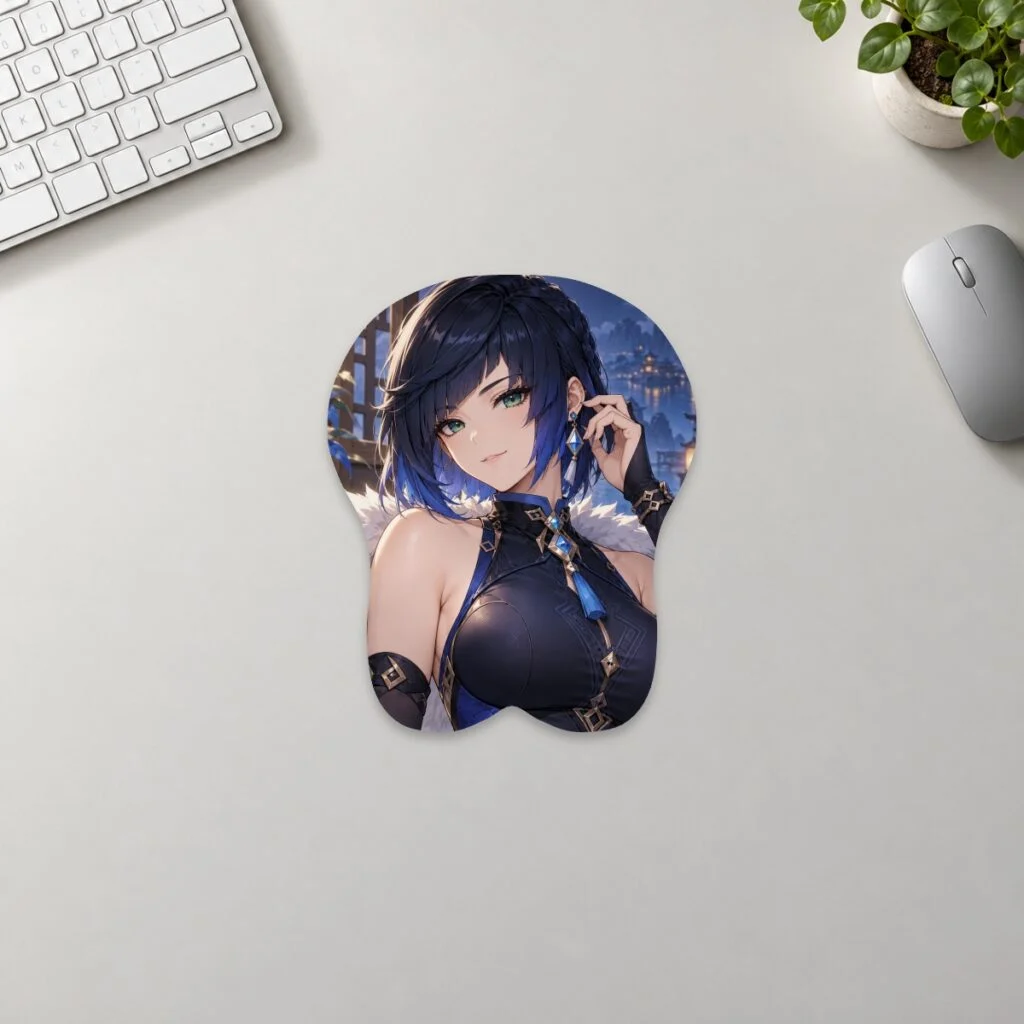
An anime desk looks intentional when one visual idea leads and everything else supports it. Choose a limited colour story, give one item the role of hero piece, keep practical zones clear and repeat only a few small accents. You do not need to hide your collection; you need enough space between objects for each one to read clearly.
Pick one colour story before choosing more items
Start with two main colours and one neutral. The colours can come from a favourite character, faction, costume or location, but they do not have to reproduce every shade in the source artwork. A restrained palette lets products from different makers and series feel related.
Use the neutral for the largest surfaces: desk, keyboard, monitor arm or storage. Put the strongest colour in one or two visible places, such as the mousepad artwork and a light behind the monitor. Reserve the second colour for smaller details. When every object carries a different saturated colour, the eye has nowhere to rest.
If you already own several pieces, photograph the desk and reduce the image to a small thumbnail. The elements that still dominate are your real colour anchors. Build around those rather than buying a new theme from scratch.
Choose a hero piece, then treat the rest as accents
A hero piece is the first thing you want someone to notice. It might be a framed print, one figure, a keyboard or an illustrated mousepad. Give it physical space and avoid placing another equally detailed item directly beside it.
A 3D mousepad can work as the hero because it combines colour, character art and a sculpted outline in the working area of the desk. Before using it that way, check the footprint in the size guide. A striking pad that crowds the keyboard or hangs over the desk will make the setup feel busy rather than deliberate.
Once the hero is set, choose accents that repeat a colour, symbol or shape without competing. A small acrylic stand, one keycap colour and a matching cable can be enough. Put less important collectibles on a shelf or rotate them instead of displaying everything at once.
Separate display space from working space
Divide the desk into simple zones: typing, mouse movement, display and temporary items. The mouse zone needs clear width and depth. The typing zone needs room for the keyboard and your normal hand position. A rear shelf or monitor riser can hold display pieces without putting them in the movement path.
Use a tray for objects that arrive during the day—phone, earbuds, receipts or a drink coaster. A small temporary zone prevents those items from spreading across the design. At the end of the day, clear the tray rather than reorganising the entire desk.
Keep cables out of the visual centre. Route them along the back edge, under a shelf or through a single sleeve. Perfectly invisible wiring is not required; one controlled line looks calmer than several loose diagonals crossing the desk.
Use lighting to support the artwork, not compete with it
Begin with useful task lighting. You should be able to read, type and see the mouse area without relying on a dark room full of coloured LEDs. Then add one layer of accent light behind the monitor, under a shelf or around a display niche.
Match the accent light to one colour already present instead of cycling through a full rainbow. Lower brightness often produces a cleaner effect, especially when the artwork is detailed. Check the desk in daylight as well as at night; a setup that works only with the main light off may be difficult to use every day.
Avoid shining a strong light directly onto glossy art or screens. Reflections can make a small desk feel more chaotic. Indirect light gives the colour story a background without becoming another hero element.
Make the mousepad a focal point without losing function
Choose artwork with a clear subject and enough quieter background around it. When the keyboard, mouse and hand cover the centre, the most important face or symbol should still remain visible. If you are creating your own layout, the artwork preparation guide explains crop, raised areas and proof review.
For ready-made designs, browse by visual direction rather than trying to represent every favourite at once. The anime collection and games collection can be filtered mentally by palette: cool blue, warm red, monochrome, pastel or earth tones. Character and series items are fan-inspired and are not affiliated with or endorsed by the respective rights holders.
Keep practical accessories visually quiet when the pad is detailed. A plain mouse, neutral keyboard and solid desk mat elsewhere in the room can give the illustration more impact. If the keyboard is also highly decorated, separate it from the pad with a small band of empty desk surface.
Build a setup that is easy to reset
A tidy desk stays tidy when every movable item has an obvious home. Use one drawer or box for spare cables, tools and cleaning cloths. Keep only daily-use items on the surface. Store product packaging and seasonal decorations elsewhere.
Make a two-minute reset routine: return the mouse, align the keyboard, clear the temporary tray and wipe the open surface when needed. The goal is not a display that can never be touched. It is a functional workspace that can return to its intended composition quickly.
Three layout recipes
Quiet character focus
Use a neutral desk, one illustrated pad, one small figure behind the monitor and a single accent light. Repeat one colour in the keyboard cable or keycaps. Leave the opposite side of the desk mostly open.
Shelf-led collection
Keep the work surface simple and move the collection onto a rear shelf. Arrange pieces in groups of three with gaps between groups. Use the mousepad below to repeat the main shelf colour rather than introducing another series.
Element or faction theme
Choose a symbol, region or element as the organising idea. Use its palette in the pad, light and one accessory. This is especially useful for a games collection because several characters can share one visual language without all appearing on the desk at once.
FAQ
How many anime items should be on a desk?
There is no fixed number. Keep enough open working space and give important pieces visible separation. Rotate the rest when the display starts to feel crowded.
Should every accessory match the same character?
No. Matching colour, shape or mood is often enough. A strict character set can feel more crowded than a small group of coordinated objects.
Can a colourful mousepad work with RGB lighting?
Yes. Use one restrained light colour drawn from the artwork and keep the brightness low enough that the print remains the focal point.
Prepared by the 3DMousepad store team using our product specifications and published store guides. Product illustrations are not scale drawings. Check the product page for the current options, price and availability. Ask us about your setup or suggest a correction.
Keep exploring
Genshin Impact Desk Setup Ideas by Element
Use a Genshin Impact element as the palette, choose one hero piece and keep the rest of the desk practical, restrained and easy to reset.
Commissioning Art for Merch: Rights and Licensing Basics
Define the product, quantity, commercial use, credit, fees and deliverables in writing before commissioning artwork for merchandise.
Turn Your OC or Fursona Into Desk Merch
Prepare references, confirm reproduction rights and compose your OC or fursona for the product shape before approving a custom print.